
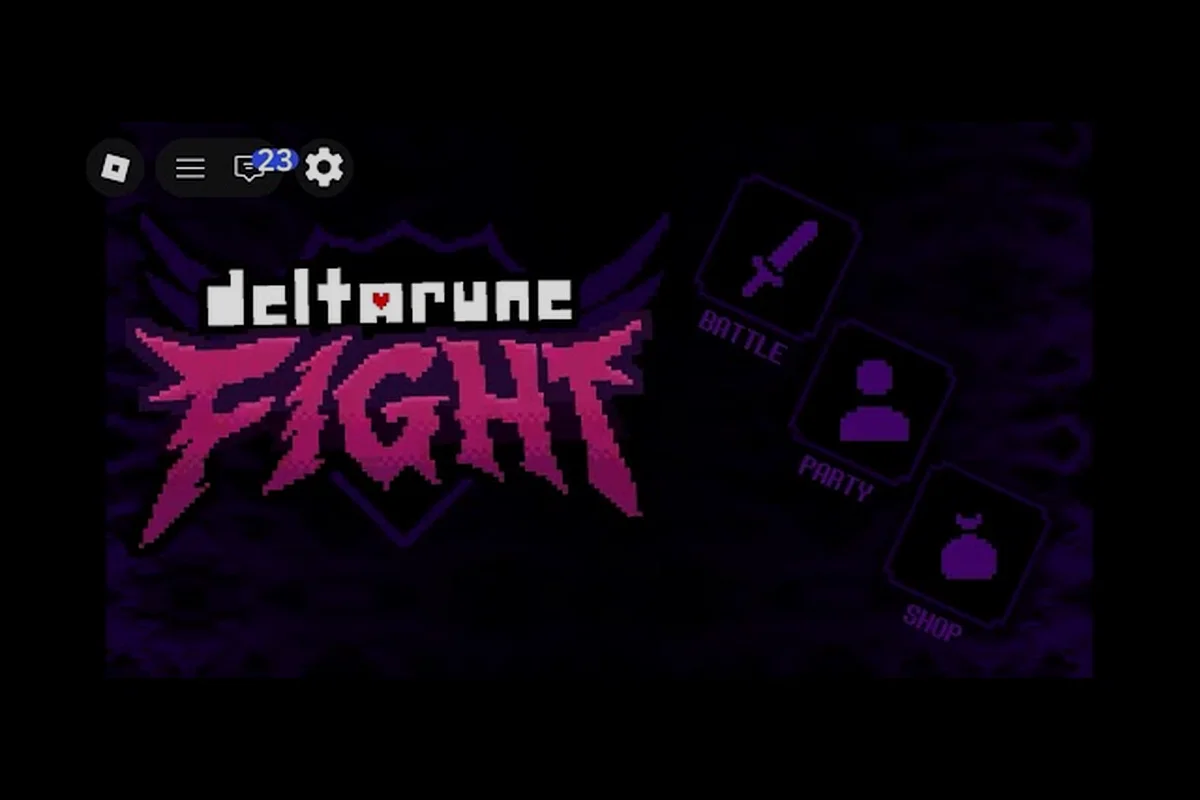
Playing DELTARUNE Fight on a phone changes how you approach every boss encounter, because the touch layout forces you to rethink movement, dodging, and skill timing that desktop players take for granted. The game launched on August 11, 2026, and has already pulled in 2.26M+ visits on the official Roblox page, which means plenty of players are now wrestling with the same mobile control questions. This guide breaks down how to set up DELTARUNE Fight mobile on iOS and Android, how the in-game chat works during a run, and which duel habits actually hold up when your thumbs are doing all the work.
What DELTARUNE Fight Mobile Actually Feels Like on a Phone
The mobile experience in DELTARUNE Fight is not a separate build with its own rules; it is the same Roblox place running through the Roblox mobile app, which means every mechanic you know from desktop still applies but the input layer sits on top of a touchscreen. Players report that the Soul — the heart-shaped cursor you steer during bullet phases — feels noticeably different on a phone because your finger covers part of the screen while you drag it through tight gaps. That occlusion problem is the single biggest adjustment for anyone coming from a keyboard, and it shapes every other recommendation in this guide.
There is a community recording that shows the game running in a Roblox context, titled Deltarune z roblox ? Deltarune fight #1, posted by Trynupek. It is an ordinary fan capture rather than an official mobile showcase, but it gives you a useful reference for how the boss arena and the Soul movement look during an actual encounter. Because the recording is a single fight, it cannot confirm anything about drop tables, reward values, or hidden mobile menus, so treat it as a visual baseline rather than a mechanics document.
The confirmed line-up so far, as of the September 2026 build, includes Tenna, King, Pink, and Kaizo Knight. None of these bosses behaves differently on mobile in terms of attack patterns, but the way you respond to their bullet spreads is heavily influenced by your screen size and thumb reach. A wide, high-damage swing that is easy to sidestep with a mouse can feel much tighter when your finger is sliding across a six-inch display.
Touch Layout and the Z/X/C Control Mapping
Roblox mobile games typically map the desktop keys to on-screen buttons, and DELTARUNE Fight follows that pattern. The desktop controls are Z to confirm, X to go back, and C for the context-dependent action, which means the mobile UI has to compress those three functions into tappable zones that do not overlap with your movement area. Players report that the confirm and back buttons sit near the bottom corners on most phones, while the context action appears only when the game detects a relevant prompt.
| Control Function | Desktop Input | Mobile Equivalent | What It Feels Like |
|---|---|---|---|
| Confirm selection | Z | On-screen confirm button | Quick tap, easy to fat-finger during menus |
| Go back / cancel | X | On-screen back button | Often placed near the edge, easy to miss |
| Context action | C | Conditional prompt button | Appears only when a boss interaction is available |
| Soul movement | Mouse / keyboard | Touch drag | Finger occlusion is the main challenge |
| Attack selection | Keyboard | Tap on skill icon | Requires precise taps under pressure |
The biggest friction point is not the buttons themselves but the fact that your right thumb has to handle both the context action and the attack selection while your left thumb steers the Soul. That split-attention demand is why many mobile players report taking more hits during the Brutal and Genocide difficulty tiers, where the bullet density leaves very little room for a misplaced tap.
Setting Up DELTARUNE Fight iOS and Android for Smoother Runs
Getting DELTARUNE Fight iOS or Android running well is less about in-game settings and more about how you prepare the Roblox app and your physical grip before a boss run. Because the game does not publish a dedicated graphics menu for mobile, most of the optimization happens at the device level. Players who report the smoothest mobile sessions tend to follow a short pre-fight routine that reduces input lag and prevents accidental screen rotation.
The first step is to lock your screen orientation before launching the game, because an unexpected rotation mid-fight will throw off your touch calibration and can cost you a run during a high-pressure phase. The second step is to close background apps that might trigger notifications or steal processing power, since Roblox on mobile is sensitive to memory pressure and a stutter during a Kaizo Knight endurance segment is usually fatal. The third step is to test your touch sensitivity in a low-stakes encounter before committing to a Genocide run.
Device-Specific Habits for iOS and Android
| Platform | Recommended Habit | Why It Helps |
|---|---|---|
| iOS | Enable Guided Access during boss fights | Prevents accidental app switching and notification pop-ups |
| iOS | Use a matte screen protector | Reduces finger drag friction during Soul movement |
| Android | Enable Game Mode or Do Not Disturb | Blocks calls and alerts that interrupt a duel |
| Android | Adjust touch-and-hold delay in system settings | Makes repeated taps register faster |
| Both | Play with the phone on a flat surface | Stabilizes the device for precise two-thumb input |
These habits are reported by players rather than documented in any official patch notes, so your mileage may vary depending on your specific phone model and Roblox app version. The underlying principle is consistent though: mobile performance in DELTARUNE Fight is as much about removing interruptions as it is about raw hardware power.
How the In-Game Chat Works During Mobile Runs
DELTARUNE Fight chat is a server-level Roblox feature, which means it behaves the same way on mobile as it does on desktop but with a much smaller keyboard and a more intrusive input flow. When you open the chat window on a phone, the on-screen keyboard covers the lower half of the arena, and any message you send pulls your attention away from the Soul for a few critical seconds. That interruption is manageable in the Standard difficulty tier but becomes a serious liability when a boss is telegraphed well in advance and you need to be moving immediately.
The practical rule for mobile chat is to keep messages short and pre-typed where possible, because the desktop habit of typing mid-fight does not transfer cleanly to a touchscreen. Players report that the most useful mobile chat messages are single-word callouts like the boss name or the difficulty tier, which convey the essential information without forcing a long typing session. If you are coordinating a duel with a friend, agree on a simple signal system before the fight starts so neither of you has to type during a bullet phase.
| Chat Scenario | Mobile-Friendly Approach | Why It Matters |
|---|---|---|
| Calling a target in co-op | Type the boss name before the fight | Avoids mid-fight keyboard pop-up |
| Requesting a difficulty change | Use a single word like "Brutal" | Fast to type, easy to read |
| Confirming a duel start | Agree on a countdown signal in advance | Removes ambiguity without typing |
| Warning about a wide swing | Use a short phrase like "wide" | Quick to send, clear meaning |
| Social chatter between runs | Save it for the lobby, not the arena | Keeps focus during bullet phases |
The chat system itself is not unique to DELTARUNE Fight, but the way it interacts with touch controls is. Because your thumbs are already occupied with movement and attack selection, any chat interaction forces you to choose between communicating and surviving, and that choice is rarely worth making during the hardest tier.
DELTARUNE Fight Duel Strategies That Work on a Phone
A DELTARUNE Fight duel on mobile is a different beast from a desktop duel, because both players are dealing with the same finger-occlusion problem and the outcome often comes down to who manages their touch layout more efficiently. The duel format in this game is not a separate ranked mode with its own matchmaking; it is a player-organized contest where two people agree to face the same boss or compare performance on a shared difficulty tier. That informal structure means the rules are whatever you and your opponent agree on before the fight.
The most important mobile duel habit is to keep your TP spending deliberate, because the attack buttons are small targets on a phone and a rushed tap can waste skill points on the wrong action. Rude Buster is the community-video attack name that appears in fan recordings, and players report that it can skip long attack segments when timed well, which makes it a valuable tool in a duel where every second of exposure matters. The catch is that a mistimed Rude Buster on mobile is easy to trigger accidentally if your thumb drifts over the skill icon.
Duel Habits That Separate Mobile Winners
| Duel Habit | Desktop Behavior | Mobile Adjustment |
|---|---|---|
| Pre-fight positioning | Mouse gives precise placement | Use flat-surface grip for stability |
| Attack timing | Keyboard input is instant | Tap slightly early to account for touch delay |
| Dodging wide swings | Full-screen mouse movement | Drag with the pad of your finger, not the tip |
| TP management | Easy to see skill icons | Zoom in or memorize icon positions |
| Reading tells | Peripheral vision covers the arena | Keep the boss near the screen center |
The duel format rewards consistency more than flashy play, because both players are fighting the same touchscreen constraints and the winner is usually the one who makes fewer input errors over a long stretch. If you are coming from DELTARUNE Fight PC, the transition to mobile duels will feel like a step down in precision at first, but the habits you build around occlusion and tap timing will eventually make you a more patient player on any platform.
Cross-Platform Realities: Mobile vs PC and Console
DELTARUNE Fight PC players often assume that mobile players are at a permanent disadvantage, but the reality is more nuanced because the game's core challenge is reading boss tells rather than executing frame-perfect inputs. A desktop player has better precision, but a mobile player who has internalized the touch layout can still compete in the Standard and Brutal tiers, where the bullet patterns are dense but not yet overwhelming. The gap widens in Genocide, where the hardest tier demands the kind of sustained precision that a mouse simply handles better.
The cross-platform question also affects how you approach co-op and duels, because a mixed group of mobile and PC players has to account for different reaction times and input methods. Players report that the most successful mixed groups assign the mobile player to a support or distraction role during co-op boss fights, while the PC player handles the higher-precision damage phases. That division of labor is not an official mechanic, but it is a sensible adaptation that emerges from the input gap.
| Platform | Precision | Occlusion Risk | Best Role in Mixed Groups |
|---|---|---|---|
| PC | High | None | Primary damage and precise dodging |
| Mobile | Medium | High | Support, distraction, or secondary damage |
| Console | Medium | None | Situational, depends on controller comfort |
| Tablet | Medium-High | Low | Closer to PC, larger screen reduces occlusion |
The maximum 15 players per server limit means you will rarely see a full mixed-platform lobby, but even a two-player co-op run benefits from understanding these input differences. If you are planning a mobile session with a PC friend, the multiplayer rewards guide covers how co-op credit works and what to expect from a shared run.
Building a Mobile Practice Routine That Sticks
Improving at DELTARUNE Fight mobile is not about grinding the hardest tier until your thumbs bleed; it is about building a practice routine that isolates the specific skills that touch controls make difficult. The most effective mobile players report spending time in the Standard tier even after they have cleared it, because the lower bullet density lets them focus on clean Soul movement without the pressure of a Genocide run. That deliberate practice approach is more valuable than raw repetition.
A practical routine starts with five minutes of free movement in an empty arena, where you practice dragging the Soul through imaginary gaps without lifting your finger. The second phase is a Standard boss encounter where you focus entirely on dodging and ignore your attack buttons, which builds the muscle memory for movement before you layer in offense. The third phase is a full Brutal run where you consciously manage your TP spending and practice tapping the skill icons without looking at them.
| Practice Phase | Focus | Duration | Success Signal |
|---|---|---|---|
| Free movement | Soul control and finger drag | 5 minutes | No finger lifts during tight gaps |
| Dodge-only boss | Reading tells without attacking | 1 full encounter | Survive without using attacks |
| TP management | Skill icon taps without looking | 1 Brutal run | No wasted skill points |
| Full duel simulation | Combining movement and offense | 1 organized duel | Consistent damage output |
The routine works because it separates the three skills that mobile players struggle with most: precise Soul movement, clean skill taps, and sustained focus under pressure. If you try to improve all three at once, you will likely reinforce bad habits instead of fixing them. The beginner guide offers a broader look at first-hour priorities if you are still getting oriented.
Frequently Asked Questions
Does DELTARUNE Fight mobile support cross-play with PC players?
Yes, because the game runs on Roblox servers that accept players from any platform. The maximum is 15 players per server, and mobile players can join the same boss runs as PC players. The input gap is real, but it does not prevent cross-platform play.
How do I reduce finger occlusion during Soul movement on a phone?
Use the pad of your finger instead of the tip, and keep the boss near the screen center so your hand does not cover the most important bullet patterns. A matte screen protector also reduces drag, which makes precise movement easier during dense phases.
Can I use a controller with DELTARUNE Fight mobile?
Roblox mobile supports Bluetooth controllers on many devices, and players report that a controller reduces the occlusion problem significantly. The desktop control mapping of Z to confirm, X to go back, and C for context actions translates to controller buttons, though the exact layout depends on your device.
Is DELTARUNE Fight chat available during boss fights on mobile?
Yes, the chat window works during fights, but opening it pulls up the on-screen keyboard and covers the lower half of the arena. Most mobile players save chat for the lobby and use short pre-agreed callouts during boss encounters instead.
What is the best difficulty tier for practicing mobile controls?
The Standard tier is the best practice ground because its bullet density is low enough to focus on clean Soul movement and skill taps. Players report that spending time in Standard before moving to Brutal builds better habits than jumping straight into the hardest tier.